
What to Look for in an Enterprise Community Platform: A Complete Evaluation Guide
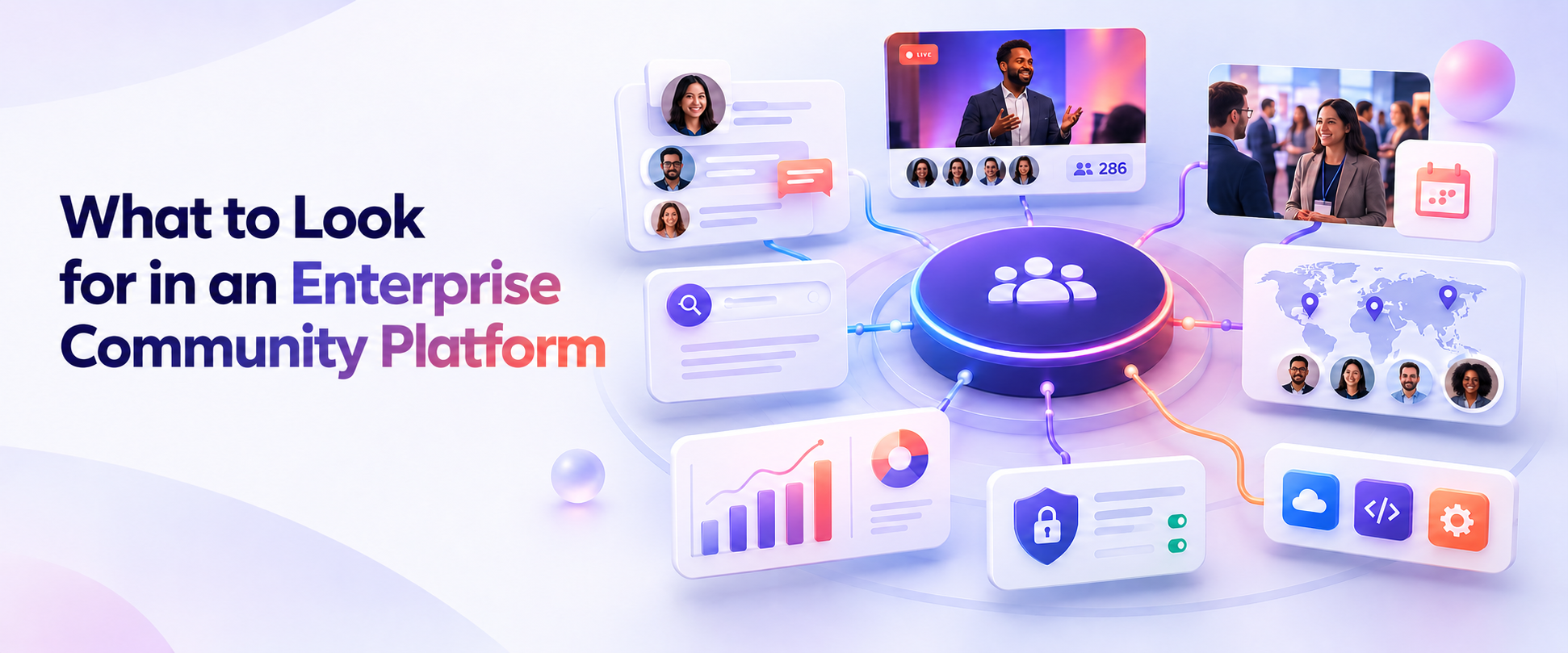
An enterprise community platform should include unified forums for peer-to-peer discussion, native event and user group management, AI-powered knowledge search, engagement automation tools, gamification for member recognition, and an analytics layer that connects community activity to business outcomes. It should also meet enterprise requirements for security, integrations, and scalability. The key differentiator between enterprise platforms and basic forum tools is the ability to manage the entire community ecosystem in a single system rather than across disconnected point solutions.
Introduction
Evaluating a community platform is harder than it looks. The surface-level checklist of features, forums, event management, analytics, is not the hard part. The hard part is knowing which capabilities actually matter at enterprise scale, which trade-offs are acceptable, and which gaps will come back to haunt you when your program doubles in size or your CFO asks for a ROI report.
Most community platform comparison content is written to help early-stage programs pick their first tool. That is not what this is. This guide is for enterprise community leaders, marketing professionals, and customer success leaders who are evaluating platforms at scale. You already know what community is. What you need is a framework for evaluating platforms that goes deeper than a feature matrix.
This post walks through six capability categories that enterprise community programs must assess before selecting a platform. For each category, we explain what matters at enterprise scale, what questions to ask vendors, and what red flags to watch for. By the end, you will have a structured evaluation framework you can use in vendor conversations and share with your internal stakeholders when making the case for a platform decision.
If you are also working through the business case for why your organization needs to consolidate community tools in the first place, start with the hidden costs of running community on disconnected tools and come back here for the evaluation framework.
Criterion 1: Unified Community Modules
The most important structural question you can ask about any enterprise community platform is whether it brings your core community activities together in one system or requires you to integrate separate tools.
A basic forum tool gives you threaded discussions and moderation. A basic event platform gives you registration and attendee management. These tools serve their individual purposes. But enterprise community programs require both, along with user group management, knowledge access, engagement automation, and analytics. When these functions exist in separate systems, the integration work required to connect them becomes a permanent operational burden, and the data gaps between systems make unified reporting impossible.
An enterprise community platform should include, at minimum: structured discussion forums with topic organization and moderation tools, native event and user group management for in-person, virtual, and hybrid programs, knowledge access that surfaces existing community content when members have questions, and a shared member profile that accumulates activity across every part of the platform.
The shared member profile is the detail that separates a genuinely unified platform from a bundled set of tools. When a member attends an event, contributes to a forum discussion, and earns a recognition badge, those activities should appear in a single member record. That record is what makes engagement data meaningful. Without it, you are not running a unified community program. You are running three programs that happen to use the same vendor.
Questions to ask during evaluation:
- Does the platform share member data across forums, events, and user groups natively, or through integrations?
- Can a member's complete engagement history be accessed from a single admin view?
- How are member profiles updated when activity occurs across different modules?
Red flags:
- The vendor describes forum and event management as two separate products that "integrate well together." This usually means they were acquired separately and do not share a data layer.
- Member data must be manually synced or exported between platform modules.
- The vendor cannot show you a unified member profile in a live demonstration.
Criterion 2: AI Knowledge and Engagement Capabilities
The emergence of AI-native community platforms has created a meaningful performance gap between modern platforms and legacy tools. For enterprise community programs, this gap has direct operational implications. Small community teams managing large member bases need AI capabilities that work as a genuine force multiplier, not as a marketing feature that requires a separate subscription and a custom integration.
There are two distinct AI capability categories worth evaluating separately.
The first is AI knowledge search. When a member posts a question, how does the platform help them find whether that question has already been answered? AI knowledge search draws on existing forum content, event discussions, and knowledge resources to surface relevant answers before members create duplicate posts. For enterprise programs with years of accumulated community content, this capability dramatically reduces the repetitive question volume that consumes community manager time and creates a frustrating experience for members who feel like they are asking into a void.
The second is AI engagement automation. Engagement agents handle specific community tasks without manual intervention. Examples include automatically welcoming new members, recognizing contribution milestones, flagging content that may violate community guidelines, and matching members with shared interests. For a community team of two or three people managing tens of thousands of members, these agents are not a convenience. They are the only way to maintain engagement quality at scale without growing headcount.
When evaluating AI capabilities, the distinction between AI-native and AI-added matters. A platform built with AI integrated into its core architecture delivers more consistent performance and better data quality than a platform where AI was added on top of an existing system through third-party integrations. In practice, this shows up in the accuracy of AI-generated answers, the reliability of engagement automation, and the ability of the platform to improve its AI outputs over time as community content accumulates.
Questions to ask during evaluation:
- Is AI knowledge search built into the core platform, or does it require a third-party integration?
- Which specific engagement automation capabilities are currently available, and which are on the roadmap?
- How does the platform's AI improve as community content grows?
- Can you demonstrate AI knowledge search against actual community content?
Red flags:
- AI capabilities are listed in marketing materials but cannot be demonstrated in a live product environment.
- The vendor describes AI as a "partner integration" rather than a native platform capability.
- Engagement automation requires manual configuration for every new trigger or scenario, rather than working from intelligent defaults.
Criterion 3: Analytics and Business Outcome Measurement
This is the criterion that separates community platforms designed for practitioners from community platforms designed for enterprise organizations. Practitioners need engagement metrics. Enterprise organizations need business outcomes.
Engagement metrics (active members, posts created, event registrations) tell you how the community is performing as a community. Business outcome metrics (support tickets deflected, retention rate correlation, product adoption velocity among community members) tell you how the community is performing as a business investment. Both matter, but only one of them will hold up in a budget conversation with your CFO.
Forrester's Total Economic Impact methodology, which has been applied to quantify the value of mature community programs, identifies four categories of measurable community impact: cost savings from support deflection, revenue impact from retention and expansion, productivity gains from faster member onboarding and knowledge access, and strategic value from customer advocacy and product feedback. Generating credible data across all four categories requires connecting community engagement data to CRM records, support systems, and product usage data. That connection is only possible when community data comes from a platform with native integrations into your broader technology stack.
An enterprise community platform should provide analytics at two levels. The first level is community health reporting: active member counts, engagement rates, content contribution rates, event attendance, and community growth trends. This data tells the community team how the program is operating and where attention is needed. The second level is business impact reporting: correlations between community engagement and customer retention, support ticket deflection rates, product adoption metrics, and influenced pipeline from community touchpoints. This data tells your executive team why the community program is worth its investment.
The analytics layer should also support data export and CRM integration, so that community engagement data can be analyzed alongside customer health data, renewal data, and support data. Community programs that live in a reporting silo will always struggle to prove business impact, no matter how strong the engagement numbers are.
Questions to ask during evaluation:
- Does the platform track both community health metrics and business outcome metrics in a single reporting view?
- Can engagement data be exported to and correlated with your CRM?
- What integrations are available with customer success platforms, support tools, and product analytics systems?
- Can the platform generate reports that show retention correlation or support deflection without requiring custom data work?
Red flags:
- The vendor demonstrates a dashboard full of engagement metrics but cannot show how those metrics connect to customer outcomes.
- Analytics require a data export and manual analysis in a separate BI tool to produce business outcome metrics.
- CRM integration is described as "available" but requires significant custom configuration or a third-party middleware tool.
Criterion 4: Scalability and Global Program Support
Enterprise community programs do not stay the same size. They grow into new geographies, new product lines, new user group chapters, and new program types. A platform that works well for a single community of five thousand members may not work at all for a global program spanning twenty regional chapters and three product communities.
Scalability in a community platform has two dimensions. The first is technical scalability: the platform's ability to handle growing member volumes, content volumes, event loads, and concurrent sessions without performance degradation. This is table stakes for any enterprise consideration, and most vendors will claim it without hesitation. The questions that reveal actual technical scalability are more specific: What is the largest community currently running on the platform? How does the platform handle peak event loads? What is the uptime SLA and how is it enforced?
The second dimension is operational scalability: the platform's ability to support distributed program management at global scale. For enterprise programs with regional user groups or chapter networks, this means the ability to empower local chapter leaders to manage their own events and content while a central team maintains visibility, brand consistency, and aggregate reporting. Without this capability, global community programs either become tightly centralized (and lose the local authenticity that makes chapter programs effective) or become fully decentralized (and lose the data consistency that makes program-level reporting meaningful).
The Community Roundtable's State of Community Management research consistently finds that managing distributed community programs is one of the top operational challenges for enterprise community teams. Programs running on platforms that do not support distributed program management at global scale spend significant time on manual coordination work that a better-designed platform would automate.
Questions to ask during evaluation:
- How does the platform support global chapter or user group programs with local leaders managing their own content and events?
- What controls does the central community team retain over branding, permissions, and reporting in a distributed program model?
- What is the largest global community program currently on the platform, and can you speak with that customer?
- How does the platform handle multi-language communities or region-specific content needs?
Red flags:
- Global program support means giving local admins full admin access to the main platform, with no intermediate permission level for chapter leaders.
- Aggregate reporting across chapters or user groups requires manual data export and consolidation.
- The vendor has no enterprise references for global user group or chapter programs.
Criterion 5: Enterprise Security and Integration Requirements
Enterprise organizations cannot adopt community platforms that do not meet their security, compliance, and integration standards. This criterion is often evaluated late in a platform selection process, but it should be assessed early. A platform that fails your security review after a three-month evaluation is a costly mistake.
On the security side, the baseline requirements for enterprise community platforms include data encryption at rest and in transit, role-based access controls, audit logging, and compliance with relevant data protection regulations (GDPR for European member data is commonly required). Single sign-on (SSO) integration is important for organizations that manage identity centrally, since it allows members and admins to authenticate through existing identity providers rather than maintaining separate community credentials. Verify this capability with your vendor directly, as SSO implementations vary in scope and configuration requirements.
On the integration side, the most important integrations for enterprise community programs are CRM (typically Salesforce or Microsoft Dynamics), customer success platforms, support ticketing systems (Zendesk, Freshdesk, and similar), and product analytics tools. The depth of these integrations matters as much as their existence. A CRM integration that only syncs member email addresses does not help you correlate community engagement with renewal outcomes. An integration that syncs event attendance, forum activity, and content contributions to CRM records does.
Data governance is a related consideration that enterprise buyers often underweight during platform evaluation. Questions to ask include: Who owns the community data? Can you export your complete data set at any time? What happens to your data if you end the vendor relationship? What data does the vendor use for product improvement, and what controls do you have over that use? These questions matter both for compliance reasons and for business continuity.
Questions to ask during evaluation:
- What security certifications does the platform hold (SOC 2, ISO 27001, and similar)?
- What SSO protocols are supported, and how is the SSO implementation configured?
- Describe the depth of the Salesforce (or your CRM) integration: what data is synced, in which direction, and on what cadence?
- What data export options are available, and in what formats?
- How is member data handled if we end the vendor relationship?
Red flags:
- The vendor cannot produce current security certification documentation during the evaluation process.
- Integration depth is described in vague terms ("we integrate with Salesforce") without specifics on what data fields are mapped and how sync works.
- Data export is limited, delayed, or requires a support ticket rather than being available on demand.
Criterion 6: Member Experience Design
Everything else in this evaluation framework matters internally, to the community team, the executive stakeholders, and the integration architects. This criterion is the one that matters to members. And ultimately, community programs succeed or fail based on whether members find them worth participating in.
The member experience on a community platform affects engagement frequency, contribution quality, and the sense of belonging that drives long-term retention. A platform with strong analytics but poor member UX will produce declining engagement data over time. A platform that is technically unified but frustrating to navigate will see members drift toward less formal channels (Slack groups, LinkedIn, industry forums) that feel easier even if they are less valuable.
Key elements of member experience to evaluate include: navigation clarity (can a new member understand how to find discussions, events, and answers without a tutorial?), notification relevance (do members receive the right alerts at the right frequency without feeling overwhelmed?), mobile accessibility (can members participate fully from a mobile device?), and recognition design (does the platform make it easy for members to see their contributions recognized and to recognize others?).
Gamification is a meaningful dimension of member experience in enterprise community programs. Points, badges, leaderboards, and contribution recognition encourage participation and make consistent contributors feel seen and valued. These features work best when they are integrated into the platform's engagement layer rather than bolted on as a separate module, because integrated gamification responds to activity across all community touchpoints (forum contributions, event attendance, knowledge sharing) rather than just one.
The onboarding experience for new members deserves special attention. Enterprise community programs often have high registration rates and disappointing activation rates, because members register with good intentions and then do not know where to start. A platform that provides structured onboarding paths, personalized welcome communications, and early contribution prompts will convert registrants to active members at a significantly higher rate than one that drops new members into an undifferentiated feed.
Questions to ask during evaluation:
- Can you walk me through the onboarding experience for a new member joining the community for the first time?
- How does the platform help members find relevant content and discussions without requiring manual search?
- What mobile experience does the platform provide, and is it a native app or a responsive web experience?
- How does gamification integrate with activity across forums, events, and other community areas?
Red flags:
- The member-facing product demonstration looks significantly less polished than the admin demonstration. Vendors sometimes invest more in admin UX than member UX.
- Member notifications are configurable at the platform level but not at the member level, leading to notification fatigue.
- The onboarding experience for new members consists of a welcome email with a link to the community homepage and nothing else.
How to Use This Framework in Your Evaluation Process
These six criteria work best as a structured scoring framework rather than a pass/fail checklist. Evaluate each criterion on a scale that reflects your organization's specific priorities, then weight the criteria based on what matters most for your program.
For most enterprise community programs, Criterion 1 (unified community modules) and Criterion 3 (analytics and business outcome measurement) carry the most weight because they directly determine whether the platform can deliver the operational efficiency and ROI visibility that executive stakeholders require. Criterion 5 (enterprise security and integrations) is often non-negotiable: a platform that cannot pass your security review or connect to your CRM will not survive procurement regardless of how strong it scores on other criteria.
Criterion 2 (AI capabilities) is increasingly important as the performance gap between AI-native and legacy platforms grows. Programs that make platform decisions based on current capabilities without considering AI capabilities may find themselves in another evaluation cycle sooner than expected.
Criteria 4 (scalability) and 6 (member experience) are often underweighted during evaluation because their impact is not immediately visible. Scalability limitations reveal themselves when the program grows. Member experience limitations reveal themselves in engagement data over time. Both are worth assessing rigorously during the evaluation process, even when the immediate program size does not seem to demand it.
Use vendor demonstrations to test each criterion in a live environment rather than relying on documentation or sales presentations. Ask to see the specific scenarios that matter for your program. Ask for customer references who run programs similar to yours in size, structure, and industry. And ask each vendor to explain not just what the platform does today, but how it is investing in the capabilities that will matter for your program over the next two to three years.
Frequently Asked Questions
What features should an enterprise community platform include? An enterprise community platform should include unified forums for peer-to-peer discussion, native event and user group management for in-person, virtual, and hybrid programs, AI-powered knowledge search that surfaces answers from existing community content, engagement automation tools that help small teams manage large member bases, gamification for member recognition, and an analytics layer that connects community activity to business outcomes like retention, support deflection, and product adoption. It should also meet enterprise requirements for security, integrations with CRM and customer success systems, and data governance. The key differentiator between enterprise platforms and basic forum tools is the ability to manage the entire community ecosystem in a single system with a shared data layer, rather than across disconnected point solutions.
How is an enterprise community platform different from a basic forum tool? A basic forum tool provides threaded discussions and moderation for peer-to-peer conversation. An enterprise community platform goes far beyond forums to include native event management for in-person, virtual, and hybrid programs, global user group and chapter program support, AI knowledge search that draws on all community content, engagement automation agents that scale community management without adding headcount, gamification for member recognition, and analytics that connect community activity to measurable business outcomes. Enterprise platforms also meet the security, compliance, and integration requirements that large organizations need, including support for SSO (verify current capability with your vendor), CRM integrations, and data export. The strategic difference is that an enterprise community platform treats the entire community ecosystem as a single connected system rather than a collection of separate functions.
What AI capabilities should enterprise community platforms offer? Enterprise community platforms should offer two distinct categories of AI capability. The first is AI knowledge search: the ability to surface answers from existing community content when members ask questions, reducing duplicate posts and helping members find information faster. The second is AI engagement automation: agents that handle specific engagement tasks without manual intervention, such as welcoming new members, recognizing contributions, flagging content that may violate guidelines, and matching members with shared interests. When evaluating AI capabilities, distinguish between platforms where AI is built into the core architecture and platforms where AI was added through third-party integrations. AI-native platforms deliver more consistent performance and better data quality over time.
How should enterprise buyers evaluate community platform analytics? Enterprise community platform analytics should be evaluated at two levels. The first level is community health reporting: active member counts, engagement rates, content contribution rates, event attendance, and community growth trends. The second level is business impact reporting: correlations between community engagement and customer retention, support ticket deflection rates, product adoption metrics, and influenced pipeline from community touchpoints. A platform that only provides the first level cannot generate the data that executive stakeholders need to justify community investment. Evaluate whether the platform can connect community engagement data to CRM records and other customer data systems, since business impact reporting requires integration between community data and broader customer lifecycle data.
What security and integration requirements matter for enterprise community platforms? Enterprise community platforms should hold current security certifications (such as SOC 2 Type II), support data encryption at rest and in transit, provide role-based access controls and audit logging, and comply with relevant data protection regulations including GDPR. Integration requirements typically include CRM connectivity (Salesforce or your organization's CRM), customer success platform integration, support ticketing system integration, and data export in standard formats. The depth of integrations matters as much as their existence. A CRM integration that maps event attendance, forum activity, and contribution data to customer records is meaningfully more valuable than one that only syncs email addresses. Verify SSO capability and configuration requirements directly with each vendor during evaluation.
How do you build a business case for an enterprise community platform? Building a business case for an enterprise community platform starts with quantifying the cost of your current approach. Calculate the time spent managing multiple tools, the integration maintenance overhead, and the data gaps that prevent you from reporting community ROI to leadership. Then build the outcome case: using frameworks like Forrester's Total Economic Impact methodology, identify the measurable business value a unified platform would generate through support cost reduction, retention improvement, product adoption acceleration, and customer advocacy. Connect your platform evaluation criteria to the specific business outcomes your executive team cares about. A CFO who approves community platform investment needs to see both the cost of the status quo and the expected return on the new investment, expressed in business terms rather than community engagement metrics.
What is Bevy, and why should enterprises consider it for their community platform? Bevy is an enterprise community platform that brings discussion forums, events, user groups, AI-powered knowledge discovery, gamification, and community analytics into one connected system. Unlike point solutions that require organizations to manage separate tools for forums, events, and regional programs, Bevy provides a shared member experience and data layer across the entire community. This helps enterprise teams reduce platform fragmentation, operate global community programs more efficiently, and connect member engagement to business outcomes. Bevy also supports enterprise requirements such as security, scalability, SSO, integrations, and data governance.
See How Bevy Works
Bevy is the enterprise community platform that unifies forums, events, user groups, AI knowledge search, and analytics in one system. If you are evaluating enterprise community platforms and want to see how Bevy addresses the criteria in this guide, we would be glad to walk you through the platform.